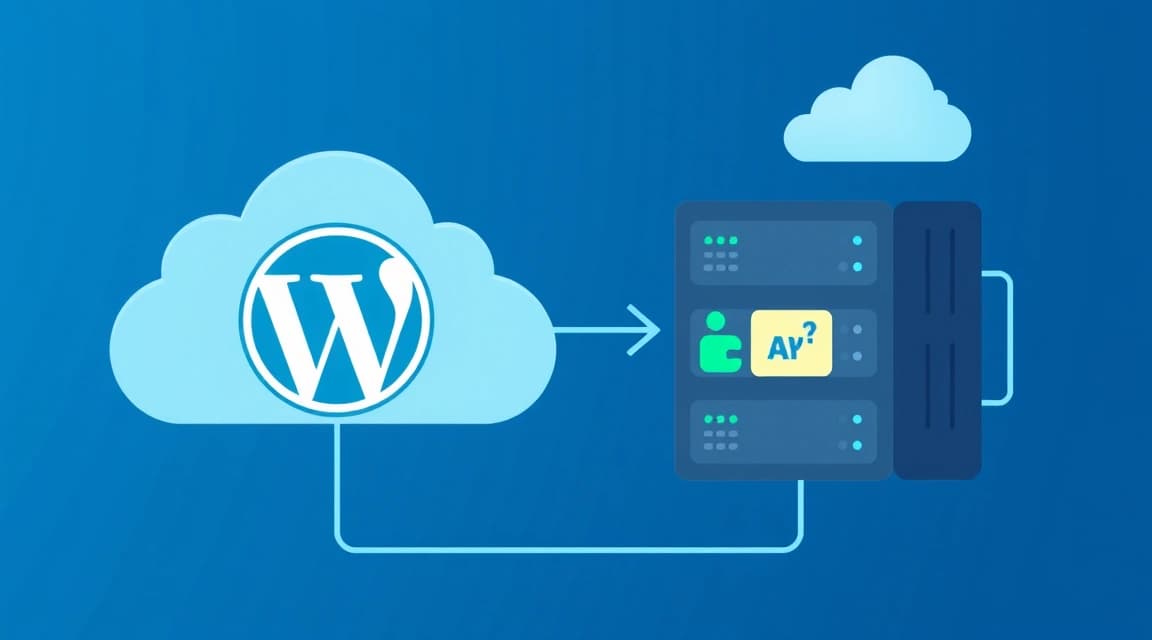


Choosing between managed WordPress hosting and an unmanaged Virtual Private Server (VPS) for an eCommerce store in 2026 involves balancing convenience against control and cost. Managed WordPress provides a streamlined experience with automatic updates, security, and performance optimizations tailored for WooCommerce, making it ideal for users prioritizing ease of use. An unmanaged VPS offers complete root access and flexibility for custom configurations, demanding significant technical expertise for setup, security, and maintenance, but potentially yielding lower operational costs for skilled administrators.
Understanding Managed WordPress Hosting for eCommerce
This option packages WordPress and its dependencies with specialized server environments, optimized specifically for the CMS. Providers handle server management, security patching, and performance tuning, allowing store owners to focus on their products and customers. These platforms often include integrated caching, Content Delivery Networks (CDNs), and advanced security features, crucial for high-traffic eCommerce sites.
Key Features and Benefits
Managed WordPress hosting, especially for eCommerce, often includes WooCommerce-specific optimizations like dedicated resources, pre-configured caching layers, and expert support for common store issues. As of 2026-04, many providers offer staging environments, daily backups, and malware scanning as standard. This reduces the operational overhead significantly, which can be invaluable for busy entrepreneurs.
Potential Drawbacks
While convenient, managed WordPress hosting can be less flexible than a VPS. Users typically have limited access to server-level configurations, potentially restricting unique application requirements or specific software installations. The cost can also be higher than an unmanaged VPS, reflecting the premium for included services and expert support. Resource limits might also be more rigid compared to a VPS where you control resource allocation.
# Example WP-CLI command for flushing cache on a managed WordPress host as of 2026-04.
# This command clears all object caches, useful after updates or content changes.
wp cache flush
# Verify WordPress core files (common on managed hosts for integrity checks)
wp core verify-checksums
Exploring Unmanaged VPS for eCommerce Stores
An unmanaged VPS offers a bare-bones virtual server instance where the user is responsible for all aspects of server administration. This includes operating system installation, security hardening, web server setup (nginx, Apache), database management (MySQL, PostgreSQL), and application deployment. For eCommerce, this means full control over the entire software stack, from the kernel up to the WordPress application.
Advantages of Self-Management
The primary advantage of an unmanaged VPS is unparalleled flexibility and control. You can install any software, configure any setting, and optimize the server environment precisely for your WooCommerce store's needs. This level of customization can lead to superior performance and cost efficiency, especially for high-traffic or highly specialized eCommerce operations. Providers such as Valebyte offer robust VPS hosting options that give users this level of granular control, starting from competitive price points for various resource configurations.
The Responsibility Burden
With great power comes great responsibility. Managing an unmanaged VPS requires a solid understanding of Linux system administration, networking, security, and troubleshooting. Regular tasks include applying security patches, monitoring server health, managing backups, and resolving performance bottlenecks. Neglecting these responsibilities can lead to security vulnerabilities, downtime, or data loss, which are catastrophic for an eCommerce business.
# Basic commands to update an Ubuntu-based unmanaged VPS.
# Always run these commands to keep your system patched against vulnerabilities as of 2026-04.
sudo apt update
sudo apt upgrade -y
# Install common web server components (e.g., Nginx, PHP-FPM, MySQL)
sudo apt install nginx php-fpm php-mysql mysql-server -y
Direct Comparison: Managed WordPress vs. Unmanaged VPS (2026)
The choice between managed WordPress and unmanaged VPS fundamentally depends on your technical skill, budget, and desired level of control. For eCommerce, the implications extend to uptime, security, and the ability to scale. This comparison highlights key differences relevant to online stores as of 2026-04.
| Feature | Managed WordPress Hosting | Unmanaged VPS Hosting |
|---|---|---|
| Technical Expertise Required | Low to Moderate (focus on WordPress/WooCommerce) | High (Linux system administration, web server, database, security) |
| Control & Flexibility | Limited server-level access, WordPress-centric | Full root access, complete customization of software stack |
| Performance Optimization | Provider-managed, often includes CDN, caching, specific WordPress tuning | User-managed, requires manual configuration of web server, database, OS |
| Security Management | Provider-handled (firewall, malware scans, updates) | User-handled (firewall, patching, monitoring, hardening) |
| Cost (Monthly, est. 2026-04) | $30 - $300+ (includes services) | $5 - $100+ (raw resources, labor extra) |
| Scalability | Often tiered plans, can be more rigid or expensive to scale rapidly | Highly flexible, scale resources on demand, custom load balancing possible |
| Support | Expert WordPress/WooCommerce and server support | Basic hardware/network support only, OS/software is user's responsibility |
For many eCommerce businesses, the allure of managed services is the peace of mind they offer. Managed WordPress providers essentially act as your extended sysadmin team, ensuring the underlying infrastructure supports your online store without you needing to dive deep into server logs or configuration files. Conversely, an unmanaged VPS empowers technical users to craft a perfectly optimized environment, potentially saving costs on monthly fees but requiring a significant investment in time and expertise.
Performance and Optimization for eCommerce in 2026
Performance is paramount for eCommerce, directly impacting conversion rates and SEO rankings. Google's Core Web Vitals, which assess loading speed, interactivity, and visual stability, remain critical factors for online stores as of 2026-04. Both hosting types offer paths to high performance, but through different means.
WordPress-Specific Optimizations
Managed WordPress hosts often integrate advanced caching solutions like Redis or Varnish, object caching, and database optimizations directly into their platforms. They might also use server-side optimizations like Brotli compression and HTTP/3 support by default. For users leveraging WooCommerce, these built-in features can provide significant speed benefits without complex setup. For a deeper dive into WordPress performance, consider reading our guide on How to Set Up Redis Object Cache for WordPress: A 2026 Tutorial.
VPS-Level Performance Tuning
On an unmanaged VPS, performance tuning is entirely in your hands. This involves selecting the right web server (Nginx 1.27, released August 2024, is a popular choice for its efficiency), optimizing PHP-FPM configurations (PHP 8.3 supports readonly classes and offers significant performance improvements over older versions), tuning MySQL or MariaDB, and implementing robust caching strategies. You might also integrate a CDN like Cloudflare or Akamai directly. For more details on web server choices, see our comparison: Nginx vs Caddy on a Small VPS: A 2026 Benchmark Comparison.
"Optimizing an eCommerce store on an unmanaged VPS demands a holistic approach, from kernel parameters to application-level caching, requiring precise configuration that can yield superior speed but requires deep technical knowledge."
# Example Nginx snippet for basic FastCGI caching for PHP-FPM on a VPS.
# This cache configuration can dramatically speed up static content delivery for WordPress.
fastcgi_cache_path /var/run/nginx-cache levels=1:2 keys_zone=WORDPRESS:100m inactive=60m;
fastcgi_cache_key "$scheme$request_method$host$request_uri";
fastcgi_cache_use_stale error timeout invalid_header http_500;
server {
    listen 80;
    server_name yourstore.com www.yourstore.com;
    root /var/www/yourstore;
    index index.php index.html index.htm;
    location / {
        try_files $uri $uri/ /index.php?$args;
    }
    location ~ \.php$ {
        include snippets/fastcgi-php.conf;
        fastcgi_pass unix:/var/run/php/php8.3-fpm.sock;
        fastcgi_cache WORDPRESS;
        fastcgi_cache_valid 200 60m;
        fastcgi_cache_bypass $cookie_nocache $arg_nocache $http_pragma;
        fastcgi_no_cache $cookie_nocache $arg_nocache $http_pragma;
    }
}
The official Nginx documentation provides extensive details on optimizing FastCGI performance.
Security Considerations for Online Stores
Security is non-negotiable for eCommerce, handling sensitive customer data and payment information. A single breach can be catastrophic for reputation and legal compliance.
Managed WordPress Security Features
Providers typically implement a multi-layered security approach including managed firewalls, DDoS protection, regular malware scanning, intrusion detection systems, and automatic WordPress core/plugin updates. They often enforce strong password policies and provide SSL certificates via Let's Encrypt or similar services. Many also offer expert support for security incidents, which can be invaluable during a crisis.
Securing an Unmanaged VPS
On an unmanaged VPS, you are the chief security officer. This requires configuring a firewall (like UFW or iptables), regularly updating the OS and all software, setting up intrusion detection (e.g., Fail2ban), securing SSH access, and implementing robust backup solutions. It's also crucial to monitor logs for suspicious activity and implement a secure PHP configuration, referring to the official PHP security manual for best practices. For troubleshooting security tools, refer to our guide on Fail2ban Not Banning IP Addresses: Troubleshooting Guide for 2026.
# Basic UFW firewall configuration for an eCommerce VPS as of 2026-04.
# These rules allow essential services and deny all other incoming traffic.
sudo ufw allow ssh/tcp  # Allow SSH access on port 22
sudo ufw allow http/tcp # Allow HTTP on port 80
sudo ufw allow https/tcp # Allow HTTPS on port 443
sudo ufw enable         # Enable the firewall
sudo ufw status         # Check firewall status
Cost Analysis and Long-Term Value
Evaluating costs involves more than just monthly hosting fees. It includes the value of your time, potential developer expenses, and the impact of downtime.
Managed WordPress Pricing Models
Managed WordPress hosting plans typically range from $30 to $300+ per month, as of 2026-04, depending on traffic, storage, and included features. These costs cover the server resources, software licenses, expert support, and the time saved on server administration. While seemingly higher upfront, these plans often deliver greater long-term value by minimizing the need for dedicated IT staff or external consultants, especially for a busy eCommerce operation.
Unmanaged VPS Cost Components
An unmanaged VPS can start as low as $5-$10 per month for basic configurations from providers like Valebyte or others, but this price only covers the raw virtual machine resources. Additional costs include your time spent on setup and maintenance, potential costs for control panels (cPanel, DirectAdmin), monitoring tools, backup solutions, and potentially hiring a sysadmin or freelance developer. For instance, a VPS with sufficient resources for a 50k monthly visit WordPress site might cost $20-$50/month in raw resources, as detailed in our article VPS Requirements for a 50k Monthly Visit WordPress Site. The total cost of ownership can quickly escalate if you lack the in-house expertise.
Making the Right Choice for Your eCommerce Business
The decision between managed WordPress and unmanaged VPS is a strategic one, influenced by your business's resources, technical capabilities, and growth projections.
For small to medium eCommerce stores with limited technical staff, managed WordPress hosting offers a powerful, hands-off solution. It provides a stable, secure, and optimized environment allowing you to concentrate on sales, marketing, and product development without worrying about server infrastructure. This path minimizes operational risks and leverages specialized expertise from your hosting provider.
Conversely, an unmanaged VPS is ideal for technically proficient individuals or teams who require absolute control, specific software stacks, or highly customized environments. Developers, agencies, or large eCommerce operations with dedicated sysadmins can benefit from the cost savings and granular optimization possibilities. This approach offers maximum flexibility but demands continuous vigilance and expertise.
Consider your priorities: if speed of deployment and ease of maintenance are critical, managed WordPress is likely your best bet. If ultimate control, deep customization, and potential cost savings through self-management are more important, and you have the technical resources, an unmanaged VPS might be the superior choice for your eCommerce venture in 2026.