
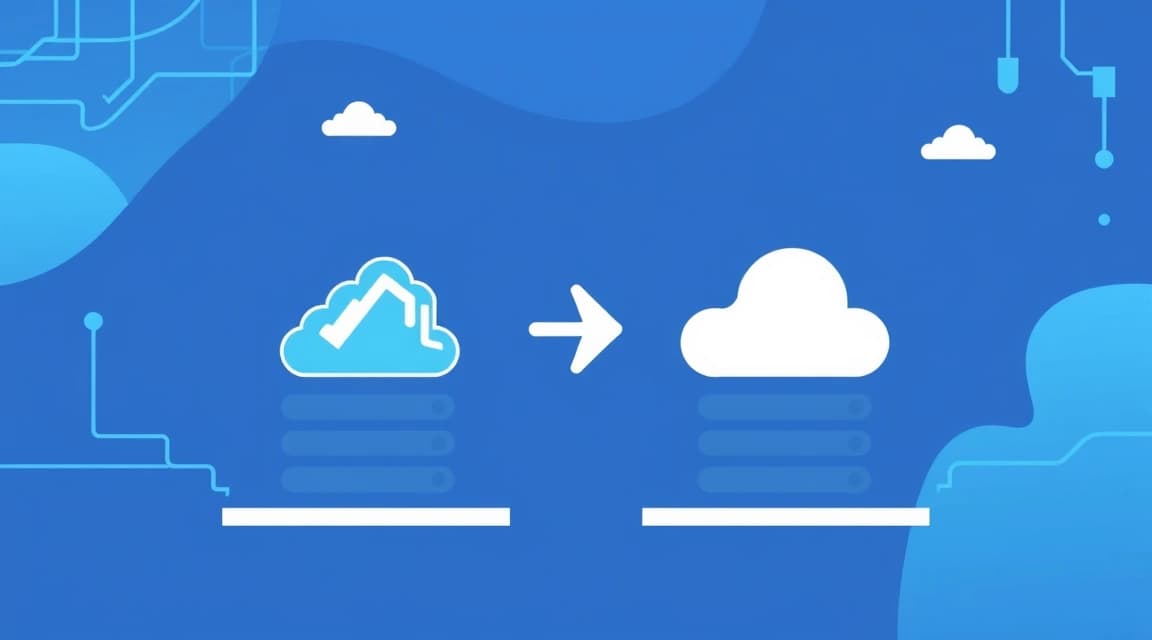
For moving from Heroku to VPS in 2026, the most effective solution is containerizing the application using Docker Compose, which allows you to deploy a web server, PostgreSQL database, Redis, and background workers on a single virtual server starting at $5–10 per month, reducing infrastructure costs by 5–10 times compared to Heroku Eco or Production plans.
Heroku long remained the gold standard for PaaS (Platform as a Service), but in 2026, memory limitations, the high cost of additional dynos, and a closed ecosystem make a migrate from heroku a logical step for growing projects. Switching to a VPS (Virtual Private Server) provides full control over system resources, allows for flexible caching configurations, and enables the use of modern protocols without the limitations of Heroku's proxy layer.
Why migrating from heroku to VPS is becoming a necessity in 2026?
The primary reason developers initiate a heroku migration is the disproportionate cost growth when scaling. On Heroku, every additional gigabyte of RAM or database instance increases the bill by tens or hundreds of dollars. Meanwhile, a modern VPS provides significantly more computing power for the same money.
Economic Comparison: Heroku vs. VPS
Consider a typical stack: a Node.js/Python application, a 1 GB PostgreSQL database, and Redis for queues. In 2026, on Heroku, this configuration (Standard-1X dynos + Managed DB + Redis) will cost at least $50–70 per month. Equivalent power on a VPS will cost several times less.
| Feature | Heroku (Standard-1X) | Valebyte VPS (Standard) | VPS Advantage |
|---|---|---|---|
| CPU (Cores) | Shared (Limited) | 2 vCPU (Dedicated/Shared) | 2-3x higher performance |
| RAM (GB) | 512 MB | 4 GB | 8x more memory |
| Disk (NVMe) | Ephemeral (Wiped) | 40-80 GB Persistent | Persistent data storage |
| Price per month | ~$50+ | $8 - $12 | 80% budget savings |
For many projects, especially during the growth stage, hosting for an MVP startup in 2026 based on a VPS is the only way to keep unit economics positive. Besides price, a VPS eliminates the "cold start" (sleep mode) issue on cheaper plans and allows the use of custom binary dependencies that are difficult or impossible to install via Heroku Buildpacks.
Choosing a server configuration for a heroku to vps transition
When planning a heroku to vps migration, it is important to correctly estimate resources. Heroku hides real hardware specs behind abstract "dynos," but running a Docker environment with a database and application requires a certain minimum. In 2026, it is not recommended to get servers with less than 2 GB of RAM, as the Docker Engine and PostgreSQL themselves consume about 500-800 MB at idle.
Recommended System Requirements
- Processor: Minimum 2 vCPUs. This allows the application to process requests in one thread while the database executes a heavy query in another.
- RAM: If your application ran on 1-2 dynos, choose 4 GB RAM. You should read separately about how much RAM a VPS needs for different tasks to avoid overpaying for unused resources.
- Disk Subsystem: NVMe only. Heroku uses fast disks, and switching to old SSDs or HDDs will cause database performance degradation. It is important to consider the disk type and size to ensure high I/O speeds.
For high-load systems or machine learning tasks that you might have offloaded from Heroku, more powerful options should be considered. In some cases, bare-metal vs VPS for ML inference becomes a relevant question if your application uses heavy models.
Looking for a reliable server for your projects?
VPS from $10/mo and dedicated servers from $9/mo with NVMe, DDoS protection, and 24/7 support.
View Offers →Preparing the Application: Docker as a heroku alternative
The most reliable way to replace Heroku is by using Docker. Heroku essentially runs containers itself, so your task is to formalize the build process in a Dockerfile and the infrastructure description in docker-compose.yml. This makes your project portable: you can migrate between providers in minutes.
Creating a Dockerfile
Your Dockerfile should replicate the Heroku environment as closely as possible but be optimized. Example for a Node.js application:
FROM node:20-alpine
WORKDIR /app
COPY package*.json ./
RUN npm install --production
COPY . .
EXPOSE 3000
CMD ["npm", "start"]
Configuring Docker Compose
In the docker-compose.yml file, we describe not only the application itself but also all dependencies (Postgres, Redis) that were connected as Add-ons on Heroku. This is a complete heroku alternative architecture.
version: '3.8'
services:
  web:
    build: .
    ports:
      - "3000:3000"
    env_file: .env
    depends_on:
      - db
      - redis
  db:
    image: postgres:15-alpine
    volumes:
      - postgres_data:/var/lib/postgresql/data
    environment:
      POSTGRES_PASSWORD: ${DB_PASSWORD}
  redis:
    image: redis:7-alpine
    volumes:
      - redis_data:/data

volumes:
  postgres_data:
  redis_data:
Data Migration: PostgreSQL and Redis
The most critical stage of migrate from heroku is transferring the database without losing integrity. Heroku provides the pg:backups tool, which allows you to create a database dump.
Transferring the PostgreSQL Database
1. Create a backup on Heroku:
heroku pg:backups:capture --app your-app-nameheroku pg:backups:download --app your-app-namedocker exec -i your_db_container pg_restore --clean --no-acl --no-owner -U username -d dbname < latest.dumpImportant: Before importing, ensure that the PostgreSQL versions on Heroku and in your Docker image match, or that the Docker version is higher. In 2026, it is recommended to use PostgreSQL 15 or 16 for better performance.
Transferring Redis
For Redis, migration is more complex because Heroku does not always provide direct access to RDB files. If the data in Redis is ephemeral (cache), it is easiest to just flush it. If it contains queues (Sidekiq, BullMQ), wait for them to complete on Heroku, switch traffic to the VPS, and start the workers there.
Configuring Environment Variables (ENV) and Security
On Heroku, you managed configs via the Dashboard or CLI. On a VPS, a .env file is used for this. The heroku migration process includes exporting all keys. You can retrieve them with the command:
heroku config -s --app your-app-name > .envEdit the resulting file, replacing DATABASE_URL and REDIS_URL with internal Docker network addresses (e.g., postgres://user:pass@db:5432/dbname).
Server Security
Unlike a PaaS, security on a VPS is your responsibility. Essential steps in 2026:
- Disable SSH password login (use keys only).
- Configure a firewall (UFW or iptables) closing all ports except 22, 80, and 443.
- Regularly update OS packages:
apt update && apt upgrade. - Use Docker networks to isolate the database from the outside world.
If you have previously used cloud solutions from other providers, the process will seem familiar. For example, how to move from AWS Lightsail to VPS in 2026 — the perimeter protection tasks there are practically identical.
Scheduler and Background Tasks (Workers)
Heroku Scheduler is a convenient add-on, but on a VPS, it is easily replaced by standard cron or Docker's built-in tools. In 2026, a popular solution is running a separate container in Docker Compose that acts as a scheduler.
Running Workers
If you scaled workers on Heroku with the command heroku ps:scale worker=2, in Docker Compose this is done via the deploy section or by simply duplicating the service. However, for most projects on a single powerful VPS, one worker container using multi-threading is sufficient.
worker:
  build: .
  command: bundle exec sidekiq # for Ruby
  # command: python worker.py # for Python
  env_file: .env
  depends_on:
    - db
    - redis
Task Scheduler
For periodic tasks (log cleaning, newsletters), use ofelia — a modern scheduler for Docker that allows you to describe tasks directly in docker-compose.yml using labels. This is much more convenient and transparent than editing the server's system crontab.
Configuring Nginx and SSL (Let's Encrypt)
Heroku automatically provides SSL and manages routing. When moving heroku to vps, you will need a Reverse Proxy. Nginx is a time-tested solution, but in 2026, many choose Traefik or Caddy because they automatically obtain and renew SSL certificates from Let's Encrypt.
Example Nginx Configuration
If you prefer the classics, install Nginx on the host machine or run it in a container:
server {
    listen 80;
    server_name yourdomain.com;

    location / {
        proxy_pass http://localhost:3000;
        proxy_set_header Host $host;
        proxy_set_header X-Real-IP $remote_addr;
    }
}
To obtain a certificate, use Certbot: sudo certbot --nginx -d yourdomain.com. This is free and renews automatically, fully replacing Heroku's paid SSL functionality.
Deployment Automation (CI/CD)
One of Heroku's main advantages was the simplicity of git push heroku main. To maintain this comfort after a migrate from heroku, set up GitHub Actions or GitLab CI.
Example GitHub Actions for VPS
The scenario will consist of building the Docker image and an update command on the server via SSH:
jobs:
  deploy:
    runs-on: ubuntu-latest
    steps:
      - uses: actions/checkout@v4
      - name: Deploy via SSH
        uses: appleboy/ssh-action@master
        with:
          host: ${{ secrets.HOST }}
          username: ${{ secrets.USERNAME }}
          key: ${{ secrets.SSH_KEY }}
          script: |
            cd /app
            git pull
            docker-compose up -d --build
This approach provides continuous integration and delivery that rivals PaaS capabilities while retaining all the benefits of owning your own server.
Checklist for a Successful Migration
To ensure your heroku migration goes without downtime, follow this list:
- Prepare Docker Image: Ensure the application runs locally via Docker Compose.
- Launch VPS: Choose a plan with extra RAM (at least 4 GB for smooth operation).
- Configure Environment: Transfer ENV variables and set up the Firewall.
- Migrate DB: Create a dump, upload it to the VPS, and restore it.
- Test Run: Verify the application works via the server's IP address.
- Switch DNS: Set TTL to 300 seconds, change the A-record to your VPS IP.
- Configure SSL: Issue a certificate via Certbot or Caddy.
- Monitoring: Set up basic monitoring (e.g., Netdata or a simple external uptime check).
If your project involves gaming mechanics or specific loads, requirements may differ. For example, the best server for Minecraft 2026 requires much more single-threaded CPU power than a typical web application migrating from Heroku.
Conclusions
Moving from Heroku to a VPS in 2026 is a strategically sound decision that allows you to reduce infrastructure costs by up to 90% and gain full freedom in technology choice. By using Docker Compose and automated CI/CD, you maintain the convenience of PaaS development while gaining the performance and flexibility of dedicated resources from professional hosting.
Ready to choose a server?
VPS and dedicated servers in 72+ countries with instant activation and full root access.
Start Now →