

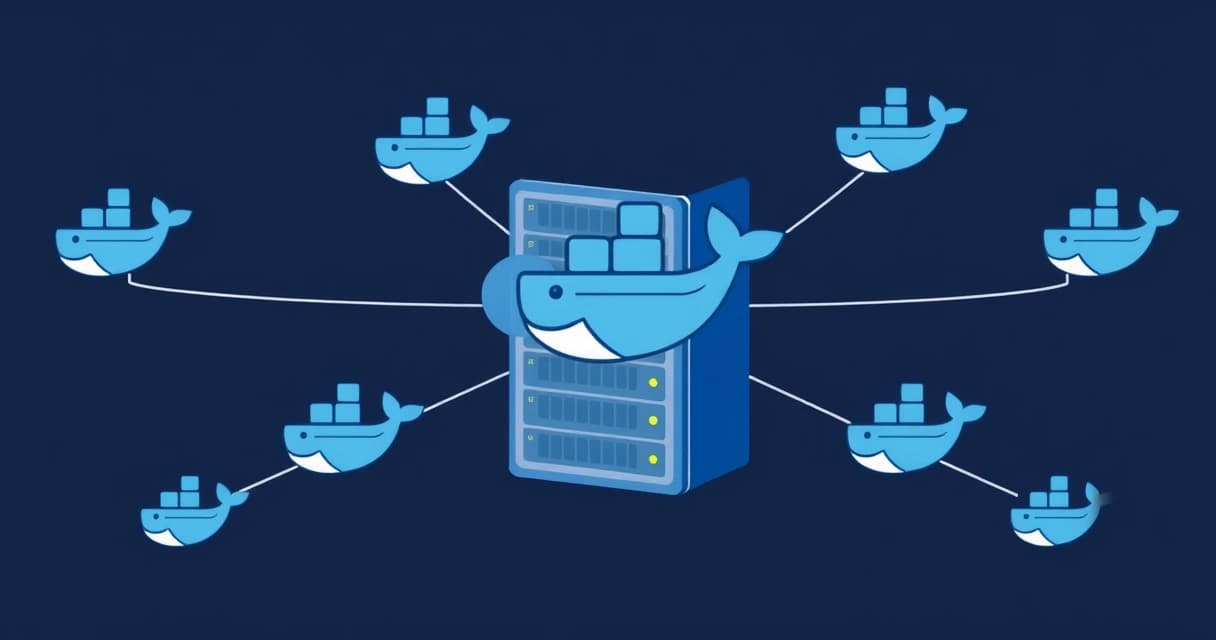
Docker Swarm on a single Virtual Private Server (VPS) makes practical sense for specific use cases where lightweight container orchestration offers significant advantages without requiring full multi-node high availability. This setup is ideal for local development, testing and staging environments, small personal projects, and educational purposes as of 2026-04. It provides an orchestration layer that simplifies deployment, scaling, and management of containerized applications on a single machine, bridging the gap between basic Docker Compose and complex Kubernetes.
Understanding Docker Swarm's Architecture on a Single Node
Docker Swarm is Docker's native container orchestration tool, designed to manage a cluster of Docker engines. When deployed on a single VPS, one Docker daemon acts as both the Swarm manager and a worker node. The manager handles cluster management tasks, such as maintaining the desired state of services and scheduling tasks, while the worker executes the containers.
Even with a single node, Docker Swarm enables you to define and manage applications as services, which are higher-level constructs than individual containers. Services allow you to specify the desired state, including the number of replicas, network configurations, and storage volumes. This approach simplifies application lifecycle management, even if the application runs solely on one server.
Manager and Worker Roles in a Single Instance
In a single-node Docker Swarm, the VPS assumes both the manager and worker roles. The manager component is responsible for maintaining the desired state of your applications, distributing tasks, and ensuring service discovery. The worker component executes the container tasks scheduled by the manager. This dual role simplifies setup but means there's no failover if the single VPS itself encounters an issue, such as a hardware failure or operating system crash. The primary role of the manager in a single node is to provide the orchestration API and scheduling capabilities.
To initialize Docker Swarm on a VPS, you'd typically run the docker swarm init command. This command configures the current Docker daemon to become a Swarm manager. The output provides a join token that would be used by other nodes to join the swarm, but on a single VPS, no other nodes are necessary.
sudo systemctl start docker
sudo docker swarm init --advertise-addr <YOUR_VPS_IP>
Key Components: Services, Tasks, and Overlay Networks
Docker Swarm introduces several core concepts crucial for orchestration. A Service defines how a containerized application should run within the Swarm, including the image to use, the commands to execute, and the ports to expose. A Task is the fundamental unit of scheduling in Swarm, representing a running container instance that fulfills a service's desired state. If a task fails, Swarm attempts to restart it automatically, providing a degree of self-healing within the limits of a single node.
Overlay networks are another critical component, allowing containers from different services to communicate seamlessly across the Swarm. Even on a single node, an overlay network provides a logical separation and simplifies inter-service communication compared to managing individual container links. Docker's official documentation provides in-depth details on these networking primitives, as outlined at docs.docker.com/engine/swarm/.
The Core Benefits of Docker Swarm for a Single VPS
Running Docker Swarm on a single VPS offers distinct advantages for specific scenarios, primarily centered around simplified application management and enhanced operational capabilities compared to running standalone Docker containers.
Simplified Deployment and Management
One of the most compelling benefits is the streamlined deployment process. With Docker Swarm, you define your entire application stack, including multiple services, networks, and volumes, in a single Docker Compose file. Swarm then deploys this stack with a single command (docker stack deploy). This contrasts with managing individual containers and their interdependencies manually, which can become cumbersome for applications with several components. For example, deploying a web application with a database and a caching layer becomes a single, atomic operation.
Managing updates is also simplified. You can update a service's image, and Swarm handles rolling out the new version, replacing old containers with new ones gracefully. This minimizes downtime and reduces the risk associated with manual updates.
Built-in Load Balancing and Service Discovery
Docker Swarm includes built-in load balancing and service discovery capabilities, even on a single node. When you create a service with multiple replicas, Swarm automatically distributes incoming requests among these replicas. This is particularly useful for stateless web applications where you might want to run several instances to handle concurrent requests more efficiently. The internal DNS resolver within Swarm allows services to find each other by name, eliminating the need for hardcoded IP addresses.
Using Docker Swarm's internal load balancing and service discovery on a single VPS can significantly simplify the architecture for microservices-based applications, even when scaling within the confines of a single machine's resources.
For external access, you can publish a port for a service, and Swarm's routing mesh (Ingress network) directs traffic to an available replica. This means any node in the Swarm (even if it's just one) can receive traffic for any published port and route it to the correct container, according to Nginx's insights on load balancing with Swarm, detailed on their Nginx blog.
Self-Healing and High Availability (within limits)
While a single VPS cannot provide true high availability against node failure, Docker Swarm offers self-healing capabilities for individual container failures. If a container crashes or stops unexpectedly, Swarm detects this and automatically restarts it, ensuring that the desired number of service replicas remains active. This automatic recovery mechanism enhances the reliability of applications running on the VPS. For example, if a PHP-FPM container crashes due to an application error, Swarm will attempt to bring up a new instance without manual intervention.
docker service create --name my-web-app --publish published=80,target=80 --replicas 3 nginx:latestThis command creates a service named my-web-app with three Nginx replicas, accessible on port 80 of the VPS. If one Nginx container fails, Swarm will automatically start another to maintain three running replicas. This is a fundamental advantage for maintaining application uptime on a single server, especially for stateless applications. You could use this approach to self-host Ghost CMS on Ubuntu 24.04 with multiple instances of its components.
Practical Use Cases for Single-VPS Docker Swarm
The specific advantages of running Docker Swarm on a single VPS align with several practical scenarios, making it a valuable tool for developers, small businesses, and enthusiasts alike.
Development and Staging Environments
For development teams, a single-VPS Docker Swarm provides an excellent environment for replicating production-like conditions without the overhead of a full multi-node cluster. Developers can deploy their application stacks, including databases, caching layers, and microservices, using a single docker-compose.yml file. This ensures consistency between development, staging, and even production (if production also uses Swarm) while isolating projects from each other.
Testing new features or deploying staging versions of applications becomes simpler and more reliable. Each new deployment can be a new Swarm stack, easily torn down and recreated. This rapid iteration capability speeds up the development cycle and reduces configuration drift.
Small Personal Projects and Prototypes
Individuals working on personal projects, blogs, or small web applications often find a single VPS to be a cost-effective hosting solution. Integrating Docker Swarm brings organization and resilience to these projects. For instance, hosting a personal portfolio website, a small analytics dashboard like Plausible, or a self-hosted chat application can benefit from Swarm's service management features. It allows for easy scaling of specific components (e.g., adding more web server replicas) up to the VPS's resource limits and simplifies updates.
Consider a simple web application with a frontend, backend API, and a PostgreSQL database. Defining these as Swarm services within a stack allows for quick deployment and easy management. A developer might opt for a managed VPS provider like Valebyte to offload some of the underlying server management while still retaining full control over their Docker environment.
Learning and Experimentation with Orchestration
For those new to container orchestration, a single-VPS Docker Swarm offers an accessible entry point. It's less complex than Kubernetes but introduces core orchestration concepts like services, tasks, rolling updates, and overlay networks. Experimenting with these features on a single, affordable VPS allows users to gain hands-on experience without incurring significant infrastructure costs or wrestling with distributed system complexities from day one. You can learn to deploy, scale, and manage containerized applications effectively.
I personally used this approach in early 2023 to understand how service discovery works before moving to more complex multi-node setups. It's a low-risk environment to break things and learn how to fix them.
Hosting Microservices with Modest Traffic
If you're running a microservices architecture with relatively modest traffic and resource requirements, a single powerful VPS can host a Docker Swarm effectively. Each microservice can be defined as a Swarm service, benefiting from the internal load balancing and service discovery. This setup is suitable for internal tools, APIs with limited external exposure, or applications that don't demand extreme scalability or 99.999% uptime guarantees.
Here's a simplified docker-compose.yml example for a microservice stack suitable for a single-node Swarm:
version: '3.8'
services:
  frontend:
    image: myapp/frontend:1.0
    ports:
      - "80:80"
    deploy:
      replicas: 2
      update_config:
        parallelism: 1
        delay: 10s
  backend:
    image: myapp/backend:1.0
    deploy:
      replicas: 3
  database:
    image: postgres:15
    volumes:
      - db_data:/var/lib/postgresql/data
    environment:
      POSTGRES_DB: mydatabase
      POSTGRES_USER: user
      POSTGRES_PASSWORD: password
volumes:
  db_data:
This stack defines three services: a frontend with two replicas, a backend with three, and a PostgreSQL database. Swarm handles the deployment and management of these components on your single VPS, ensuring they can communicate and scale within the available resources.
Limitations and Considerations
While Docker Swarm on a single VPS offers compelling benefits, it's crucial to understand its inherent limitations. These factors often dictate when a single-node setup is sufficient and when more robust solutions are necessary.
No True High Availability for Node Failures
The most significant limitation is the lack of true high availability against a VPS failure. If your single VPS experiences hardware failure, network outage, or operating system crash, your entire Docker Swarm and all its deployed applications will go down. Swarm's self-healing capabilities only apply to individual container failures within a healthy node, not to the node itself. For mission-critical applications requiring continuous uptime, a multi-node Swarm or Kubernetes cluster distributed across multiple physical servers or availability zones is essential.
Resource Contention and Scalability Ceilings
A single VPS has finite resources: CPU, RAM, and disk I/O. As you scale up the number of service replicas or deploy more resource-intensive applications, you'll quickly hit these limits. Resource contention can lead to performance degradation across all services. For instance, if a database service consumes too much CPU, it can starve the web frontend, causing slowdowns for users. This becomes a bottleneck for applications expecting high traffic or performing complex computations. Nelsa's guide on VPS requirements for a 50k monthly visit WordPress site illustrates how resource planning is critical even for single-server setups.
Data Persistence Challenges
Managing persistent data in a single-node Swarm requires careful planning. While Docker volumes can persist data across container restarts, they are tied to the host VPS. If the VPS fails or needs to be replaced, this data is at risk. For robust data persistence, external storage solutions (like network-attached storage or managed database services) or regular backups are critical. Standard Docker volumes provide local persistence, as detailed in the Docker documentation on volumes, but do not protect against host failure.
Monitoring and Logging
Effective monitoring and centralized logging become essential even for a single-node Swarm. While Docker provides basic commands like docker stats, a comprehensive solution involves tools like Prometheus for metrics and Grafana for visualization, or a centralized logging system like ELK (Elasticsearch, Logstash, Kibana) or Loki. Sysdig's blog offers valuable insights into monitoring Docker metrics, which are relevant for both single and multi-node setups.
Here's a comparison outlining the trade-offs:
| Feature | Single-Node Docker Swarm | Multi-Node Docker Swarm | Kubernetes Cluster |
|---|---|---|---|
| High Availability | None (single point of failure) | Good (manager redundancy, worker failover) | Excellent (advanced scheduling, self-healing, multi-zone support) |
| Complexity | Low | Medium | High |
| Resource Scaling | Limited to single VPS resources | Scales horizontally across nodes | Scales horizontally and vertically, advanced resource management |
| Cost | Low (single VPS) | Medium (multiple VPS/servers) | High (multiple servers, potential managed service costs) |
| Learning Curve | Low | Medium | High |
| Use Cases | Dev/staging, small personal projects, learning | Production for moderate scale, simpler needs | Enterprise-grade, large-scale, complex microservices |
Setting Up Docker Swarm on Your VPS
Setting up Docker Swarm on a single VPS is a straightforward process, making it an excellent starting point for container orchestration. This guide assumes you're running a modern Linux distribution like Ubuntu 24.04.
Prerequisites: Docker Installation
Before initializing Swarm, ensure Docker Engine is installed and running on your VPS. You can follow the official Docker documentation for installation. After installation, verify Docker's status:
sudo systemctl status dockerMake sure the Docker daemon is active. It's also good practice to add your user to the docker group to avoid using sudo with every Docker command:
sudo usermod -aG docker $USER
newgrp docker
For initial server setup, consider reviewing an Ubuntu 24.04 VPS Hardening Checklist to secure your environment.
Initializing the Swarm
Once Docker is ready, initialize the Swarm. You'll need your VPS's public IP address for the --advertise-addr flag. This IP is how other (non-existent, in this case) nodes would communicate with the manager.
docker swarm init --advertise-addr <YOUR_VPS_PUBLIC_IP>If successful, you'll see a message indicating the current node is now a manager and providing a join token. For a single-node setup, you won't use this token to join other nodes.
Deploying a Sample Service
With Swarm initialized, you can deploy your first service. This example deploys an Nginx web server as a Swarm service:
- Create a service: Use
docker service createto deploy an Nginx container. We'll publish port 80 of the service to port 80 of the VPS. - Verify the service: Check if the service is running and its tasks are active.
- Access the service: Open your web browser and navigate to your VPS's public IP address. You should see the Nginx welcome page.
docker service create --name webserver --publish published=80,target=80 nginx:latestdocker service ls
docker service ps webserverManaging Services
Managing services in a single-node Swarm is straightforward using Docker's CLI. You can scale services up or down, update images, and remove services.
- Scaling a service: To add more replicas of your Nginx web server, use the
docker service scalecommand. For example, to scale to 3 replicas: - Updating a service: To update the image of a service, for example, to a newer Nginx version:
- Removing a service: To take down a service and its associated containers:
docker service scale webserver=3docker service update --image nginx:1.25.4 webserverdocker service rm webserverThese commands provide a powerful way to manage your application's lifecycle on a single VPS, abstracting away individual container management.
When to Consider Alternatives
While Docker Swarm on a single VPS is effective for specific use cases, there are clear indicators when you should transition to a more robust or different solution.
Scaling Beyond a Single Node
If your application outgrows the resources of a single VPS or if you need genuine high availability to withstand server failures, it's time to move beyond a single-node Swarm. The natural progression is to a multi-node Docker Swarm, which distributes manager and worker roles across several VPS instances or physical servers. This provides redundancy for the manager nodes and allows services to fail over to healthy worker nodes if one goes down. This horizontal scaling capability is critical for applications experiencing growing user bases or increased processing demands.
Advanced Orchestration Needs
For highly complex microservices architectures, strict resource isolation, advanced networking policies, or specialized scheduling requirements, Kubernetes often becomes the preferred choice. Kubernetes, while having a steeper learning curve, offers a richer feature set, including sophisticated ingress controllers, automatic horizontal pod autoscaling based on metrics, and a vast ecosystem of tools and integrations. Key concepts like Pods, Deployments, and StatefulSets provide granular control over application deployments, as documented on the Kubernetes official documentation.
For instance, if you require dynamic volume provisioning from various cloud providers or need fine-grained control over service meshes, Kubernetes is better equipped. Cloudflare's insights on service discovery highlight the complexity and necessity of robust solutions in modern distributed systems, which Kubernetes excels at, as seen on their Cloudflare learning platform.
Enterprise-Grade Requirements
Enterprises with stringent uptime SLAs, complex security requirements, or a need for multi-cloud deployments typically opt for battle-tested, fully-featured orchestration platforms. While Docker Swarm is capable, Kubernetes has become the de facto standard for enterprise container orchestration. Managed Kubernetes services from cloud providers (AWS EKS, GKE, Azure AKS) further simplify operations by abstracting away much of the infrastructure management, making them attractive for production workloads that demand reliability and scalability.
In summary, Docker Swarm on a single VPS is a powerful, accessible tool for specific scenarios. It excels in environments where simplicity, ease of management, and internal application resilience are prioritized over absolute high availability or enterprise-level scalability. However, understanding its limitations and knowing when to transition to a more distributed or feature-rich orchestration platform is key to long-term success.
FAQ
Can Docker Swarm on a single VPS provide true high availability?
No, Docker Swarm on a single VPS cannot provide true high availability against node failures. If the single VPS itself goes down due to hardware or operating system issues, all services will become unavailable. Its self-healing capabilities only protect against individual container failures on a healthy node.Is Docker Swarm easier to learn than Kubernetes for orchestration?
Yes, Docker Swarm is generally considered easier to learn and set up than Kubernetes. It integrates natively with Docker Engine commands, making the transition from basic Docker Compose simpler. Kubernetes has a significantly steeper learning curve due to its extensive API, concepts, and ecosystem.What kind of applications benefit most from a single-VPS Docker Swarm?
Applications that benefit most are those with modest resource requirements, such as development and staging environments, small personal websites or blogs, prototypes, and internal microservices with limited traffic. It's ideal for scenarios where simplified deployment and internal service management are more critical than enterprise-grade uptime.Can I scale my application beyond the resources of my single VPS using Docker Swarm?
No, scaling an application beyond the physical resources (CPU, RAM, disk I/O) of your single VPS is not possible with a single-node Docker Swarm. To achieve horizontal scaling across multiple machines, you would need to expand your Swarm to include multiple worker nodes on different VPS instances or physical servers.How does Docker Swarm on a single VPS handle persistent data?
Docker Swarm on a single VPS typically handles persistent data using Docker volumes, which store data on the host VPS's filesystem. While this persists data across container restarts, it doesn't protect against the VPS itself failing. For robust data persistence, external storage solutions or regular backups are necessary.