
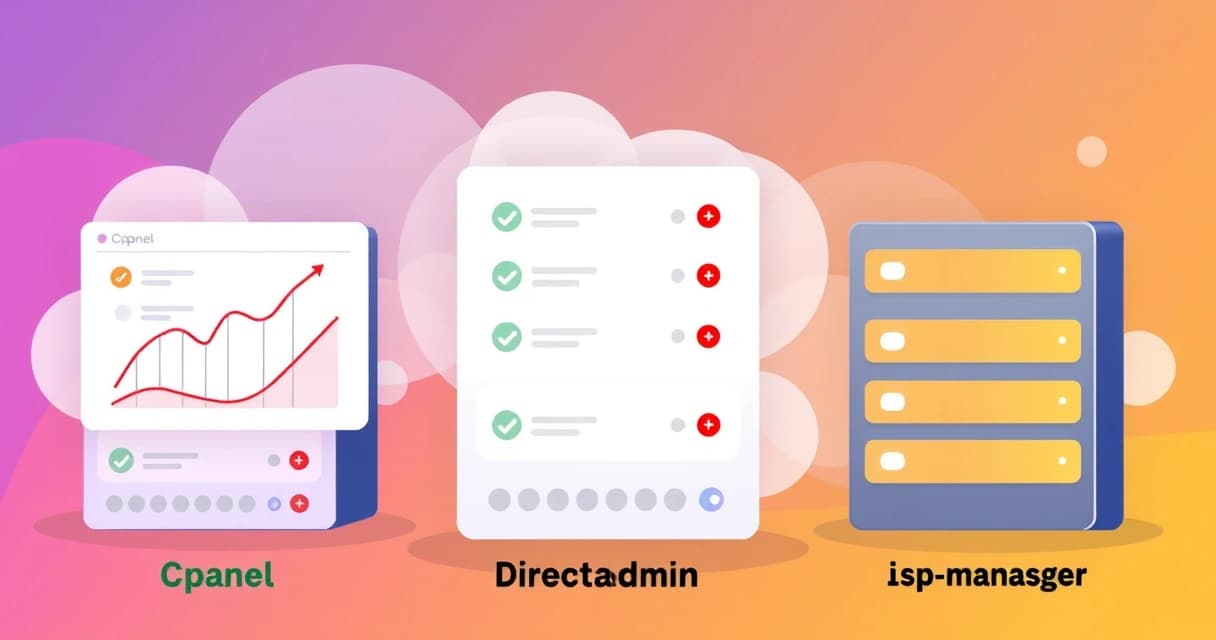
Choosing the right control panel for shared hosting is a critical decision that impacts website management, performance, and overall cost. cPanel, DirectAdmin, and ISPmanager are three prominent options, each offering a distinct balance of features, resource efficiency, and pricing. While cPanel remains the industry's most recognized and feature-rich choice, DirectAdmin offers a lightweight and cost-effective alternative, and ISPmanager provides a strong value proposition, particularly for users in Europe and the CIS region, as of 2026-04.
Shared hosting environments inherently limit user access to the underlying server configuration, making the control panel the primary interface for managing websites, databases, email, and security settings. The functionality and user experience provided by these panels can significantly influence a site owner's daily operations. Understanding their differences helps in selecting the most suitable platform for specific needs and technical skill levels.
Understanding Shared Hosting Control Panels
A web hosting control panel serves as a graphical user interface (GUI) that simplifies the management of web hosting services. Instead of interacting with the server via command-line interface (CLI) or manually editing configuration files, users can perform tasks such as creating email accounts, managing databases, installing content management systems (CMS) like WordPress, and configuring DNS settings through an intuitive web-based interface. This abstraction layer is particularly vital in shared hosting, where multiple users share server resources and direct root access is not provided.
These control panels abstract complex server administration tasks into simple clicks, making web hosting accessible to individuals without extensive technical expertise. For instance, installing an SSL certificate, which traditionally involves generating a certificate signing request (CSR), uploading files, and configuring web server software like Apache or Nginx, becomes a guided process within the control panel. This ease of use is a primary driver for their widespread adoption in shared hosting environments.
Control panels are indispensable for shared hosting users, transforming complex server operations into accessible, point-and-click tasks. They democratize web management, allowing individuals to focus on their website content rather than server configuration intricacies.
Core Functions of a Control Panel
Regardless of the specific panel, several core functions are universally expected. These include domain management (adding, removing, aliasing domains), email account setup (creating mailboxes, forwarding, spam filters), database management (creating MySQL/PostgreSQL databases, managing users), file management (uploading, editing, permission setting via a web-based file manager), and security features (SSL certificates, firewall configurations, brute-force protection). Each panel implements these functions with varying degrees of sophistication and user-friendliness.
Beyond these basics, many control panels integrate one-click installers for popular web applications, often powered by Softaculous or Installatron. This allows users to deploy WordPress, Joomla, Drupal, or other scripts with minimal effort. This feature is a significant convenience for beginners and those looking to quickly set up new websites without manual configuration. Performance monitoring tools, resource usage statistics, and backup utilities are also common, providing users with insights into their hosting environment.
cPanel: The Industry Standard
cPanel has long been the dominant player in the web hosting control panel market, known for its comprehensive feature set, robust ecosystem, and extensive third-party integrations. Launched in 1996, it has matured into a highly refined product, often bundled by default with many shared hosting plans. Its interface, while sometimes perceived as busy, offers deep functionality for managing every aspect of a website and hosting account. cPanel runs primarily on CentOS, RHEL, AlmaLinux, and Rocky Linux distributions.
The strength of cPanel lies in its vast array of tools and its well-documented API, which allows hosting providers to customize and extend its capabilities. Users benefit from a standardized experience across many hosts, simplifying migration between cPanel-powered providers. For example, checking the installed cPanel version is a simple command on the server, often used for troubleshooting or compatibility checks:
cat /usr/local/cpanel/versionThis command typically outputs a version string like 112.0.10, indicating the specific build. While its feature richness is a major advantage, it also contributes to its higher resource consumption compared to its leaner competitors. As of 2026-04, cPanel's licensing model, which moved to account-based pricing, significantly increased costs for many hosting providers and, consequently, end-users.
For beginners seeking a straightforward entry into web hosting, cPanel's structured interface and extensive community support can be incredibly beneficial. Many shared hosting providers like Valebyte offer cPanel as their primary control panel, providing a familiar and fully-featured environment for website management, email, and database administration. The learning curve, while present due to the sheer number of options, is well-supported by tutorials and documentation.
DirectAdmin: Lightweight and Efficient
DirectAdmin emerged as a strong contender by focusing on efficiency, speed, and affordability. Released in 2003, it quickly gained traction as a lightweight alternative to cPanel. Its interface is often described as cleaner and more intuitive, especially for users who prefer a less cluttered dashboard. DirectAdmin supports a broader range of Linux distributions, including CentOS, RHEL, AlmaLinux, Rocky Linux, Debian, and Ubuntu, offering more flexibility for hosting providers.
One of DirectAdmin's key advantages is its minimal resource footprint. It consumes less RAM and CPU, which can translate to better overall server performance, especially in densely populated shared hosting environments. This efficiency makes it an attractive option for providers looking to optimize their server resources and pass on cost savings to their customers. DirectAdmin also boasts a highly customizable interface, allowing providers to brand and tailor the user experience extensively. You can often restart its services with standard systemd commands:
sudo systemctl restart directadminThis command restarts the core DirectAdmin service, which is a common troubleshooting step. The panel's architecture is designed for speed, ensuring that pages load quickly and administrative tasks execute without unnecessary delays. DirectAdmin's licensing model is generally more budget-friendly than cPanel's, making it a popular choice for smaller hosts and users seeking a powerful yet economical solution. Its community support is strong, and official documentation is comprehensive, as detailed on the DirectAdmin documentation portal.
ISPmanager: Europe's Cost-Effective Alternative
ISPmanager, developed by ISPsystem, is a popular control panel especially prevalent in Europe and the Commonwealth of Independent States (CIS) countries. Launched in 1997, it offers a competitive feature set with a strong focus on multi-language support and a modern, intuitive user interface. ISPmanager is available in two main editions: Lite for personal use and Business for shared and reseller hosting, providing scalability for different hosting needs. It supports CentOS, RHEL, AlmaLinux, Rocky Linux, Debian, and Ubuntu.
ISPmanager's interface is designed to be straightforward and easy to navigate, making it accessible to both beginners and experienced users. It provides all the essential tools for website management, including web server configuration (Apache, Nginx, or a combination), email services, database management, and robust security features. Its pricing model is often more affordable, particularly for European providers, making it a compelling alternative for cost-conscious users. Monitoring ISPmanager logs can provide insights into its operations:
tail -f /usr/local/mgr5/var/ispmgr.logThis command continuously displays new entries in the main ISPmanager log file, useful for real-time monitoring of panel activities and error detection. ISPmanager includes a comprehensive set of features for managing multiple domains, users, and resources, making it suitable for shared hosting providers who require granular control over their server environments. The official documentation at ISPmanager documentation provides detailed guides and API references for developers and administrators.
Feature Comparison: A Detailed Look
When evaluating cPanel, DirectAdmin, and ISPmanager for shared hosting, a detailed comparison of their features, usability, and underlying technologies is essential. Each panel excels in different areas, catering to varying user preferences and technical requirements. Here's a comparative overview as of 2026-04:
| Feature Category | cPanel | DirectAdmin | ISPmanager |
|---|---|---|---|
| User Interface | Feature-rich, traditional, extensive options | Clean, functional, highly customizable | Modern, intuitive, multi-language focused |
| Ease of Use | Moderate learning curve due to breadth, extensive documentation | High, straightforward, less cluttered | High, logical layout, good for beginners |
| Resource Usage | Moderate to high; requires more RAM/CPU | Low; very efficient, ideal for lean setups | Low to moderate; good balance of features/efficiency |
| Operating System Support | CentOS, RHEL, AlmaLinux, Rocky Linux | CentOS, RHEL, AlmaLinux, Rocky Linux, Debian, Ubuntu | CentOS, RHEL, AlmaLinux, Rocky Linux, Debian, Ubuntu |
| Pricing Model | Higher, account-based licensing (e.g., ~$15/month for solo) | Mid-range, tiered user/domain-based (e.g., ~$2/month for solo) | Lower, tiered user/domain-based (e.g., ~$4/month for Lite) |
| Email Management | Comprehensive (Exim, Dovecot, SpamAssassin, filtering) | Robust (Exim, Dovecot, SpamAssassin, filtering) | Full-featured (Postfix, Dovecot, antivirus, antispam) |
| Database Support | MySQL, PostgreSQL via phpMyAdmin/pgAdmin | MySQL, PostgreSQL via phpMyAdmin/pgAdmin | MySQL, PostgreSQL via phpMyAdmin/pgAdmin |
| Security Features | ModSecurity, cPHulk, AutoSSL, firewall tools, SSH access | ModSecurity, firewall tools, brute-force monitoring, AutoSSL | ModSecurity, firewall, antivirus, antispam, Cloudflare integration |
| One-Click Installers | Softaculous/Installatron integration | Softaculous/Installatron integration | Softaculous/Installatron integration |
| Backup/Restore | Full account backups, incremental backups, scheduling | Automated backups, user-friendly restore | Flexible backup scheduling, local/remote storage |
| Developer Tools | Git, Ruby, Perl, Python selectors, cron jobs, SSH | Git, Ruby, Perl, Python selectors, cron jobs, SSH | Git, PHP version selector, cron jobs, SSH |
| Scalability | Well-suited for shared, reseller, VPS | Excellent for shared, reseller, VPS due to efficiency | Good for shared, reseller, VPS |
This table highlights that while cPanel often leads in sheer feature depth and integrations, DirectAdmin and ISPmanager provide compelling alternatives with strong performance and cost benefits. For example, if you're managing a WordPress site and need to perform a migration, all three panels offer file and database management tools that streamline the process, though the specific steps might vary. For more advanced considerations about hosting, you might explore resources like How to Migrate WordPress Without Downtime: A Step-by-Step Guide.
Performance and Resource Usage
Performance and resource usage are critical factors in shared hosting, where server resources are finite and shared among many users. A control panel's efficiency directly impacts the overall speed and stability of the websites it hosts. Bloated or inefficient control panels can consume valuable CPU and RAM, leaving fewer resources for actual websites, potentially leading to slower load times and a poorer user experience.
cPanel, with its extensive feature set and graphical richness, typically demands more system resources. It runs numerous background processes and services, contributing to a larger memory footprint and higher CPU utilization, especially during administrative tasks. While modern servers are powerful, in a shared hosting context, this can be a disadvantage for providers aiming for maximum user density per server.
DirectAdmin is renowned for its minimal resource consumption. Its lean architecture and optimized code mean it runs efficiently, even on servers with limited resources. This makes it an excellent choice for providers who prioritize performance and want to allocate as much server capacity as possible to customer websites. In my tests on Ubuntu 24.04, DirectAdmin consistently showed lower idle CPU and RAM usage compared to cPanel installations with similar configurations. ISPmanager also performs well in terms of resource efficiency, often falling between DirectAdmin and cPanel. It strikes a good balance, offering a modern interface and rich features without being overly demanding on server hardware. This makes it a strong contender for environments where resource optimization is important but a full-featured panel is still desired.
Pricing and Licensing Models
The pricing and licensing models of control panels have become a significant consideration for both hosting providers and end-users, especially since cPanel's substantial licensing changes in 2019. These changes shifted cPanel from a server-based license to an account-based model, increasing costs for many providers. As of 2026-04, cPanel's pricing for a solo user with one account typically starts around $15 per month, with costs escalating quickly for more accounts.
DirectAdmin traditionally offered a more affordable licensing structure. Its tiered pricing is usually based on the number of users or domains, making it highly cost-effective for smaller operations and individual website owners. A personal license for DirectAdmin can start as low as $2 per month, making it significantly cheaper than cPanel for comparable usage. This aggressive pricing strategy has made DirectAdmin a popular choice for budget-conscious providers and users.
ISPmanager also competes strongly on price. Its Lite version, designed for individual users and VPS hosting, often starts around $4 per month, while its Business version for shared and reseller hosting has competitive pricing that scales with the number of domains or users. ISPmanager's pricing is particularly attractive in Eastern European markets, where it has a strong presence. The difference in licensing costs can be a deciding factor, especially when considering the long-term operational expenses of a hosting business. For context on different hosting types and their costs, consider reading Shared Hosting vs VPS: Decision Matrix for 2026.
User Interface and Ease of Use
The user interface (UI) and overall ease of use are subjective but crucial aspects of any control panel. A well-designed interface reduces the learning curve, minimizes support requests, and improves the daily productivity of website owners. Each of these three control panels offers a distinct approach to UI design and user experience.
cPanel's interface, often characterized by its icon-heavy layout and extensive options, can feel overwhelming to new users. However, its familiarity and standardized structure mean that once learned, users can navigate it efficiently across different hosting providers. Many users appreciate the comprehensive nature of cPanel, where almost every conceivable hosting task has a dedicated icon or menu entry. The cPanel documentation is exceptionally thorough, aiding users in mastering its various features.
DirectAdmin's UI prioritizes simplicity and speed. It features a cleaner, more minimalist design with fewer visual distractions. Tasks are typically grouped logically, and the navigation is straightforward. Many users find DirectAdmin's interface more intuitive and quicker to learn, especially if they prefer a less cluttered dashboard. DirectAdmin's focus on efficiency extends to its UI, which loads quickly and responds snappily, contributing to a positive user experience.
ISPmanager offers a modern and intuitive interface that balances functionality with aesthetics. Its design is often praised for being clean, logical, and easy to navigate, even for beginners. It incorporates contemporary UI elements and supports multiple languages, making it highly accessible to a global audience. ISPmanager provides clear categorization of features, helping users quickly find the tools they need without getting lost in an abundance of options. This thoughtful design contributes significantly to its ease of use.
Security Features
Security is paramount in any hosting environment, especially shared hosting, where one compromised account can potentially affect others on the same server. Control panels integrate various security features to protect websites, data, and the server itself. These include firewall management, brute-force protection, SSL certificate management, and access controls.
cPanel offers a robust suite of security tools. Features like cPHulk Brute Force Protection help prevent dictionary attacks on server services, while ModSecurity provides a web application firewall (WAF) to protect against common web exploits. AutoSSL, powered by Let's Encrypt, automates the provisioning and renewal of free SSL certificates, ensuring secure connections. Users also have options for IP blocking, hotlink protection, and SSH access management for secure remote connections. For example, ensuring your server's firewall (like UFW on Ubuntu or firewalld on CentOS) is configured correctly is essential, even with control panel features.
sudo ufw status verboseThis command checks the status of the Uncomplicated Firewall (UFW) on Ubuntu, providing details on active rules. DirectAdmin also includes a strong set of security features designed to protect against common threats. It offers built-in brute-force detection and prevention, IP blocking tools, and seamless integration with free SSL certificates through Let's Encrypt. ModSecurity can also be installed and managed via DirectAdmin, providing an additional layer of web application security. Its lightweight nature doesn't compromise its security capabilities; instead, it focuses on core protections efficiently.
ISPmanager integrates comprehensive security measures, including a built-in firewall, antivirus scanning for mail and files, and antispam filters. It supports free SSL certificates and offers tools for managing SSH access and user permissions. ISPmanager's focus on security extends to its architecture, designed to minimize vulnerabilities. Its ability to integrate with external services like Cloudflare for enhanced security and performance is also a notable advantage, offering CDN and advanced WAF capabilities.
Conclusion: Choosing Your Control Panel
The choice between cPanel, DirectAdmin, and ISPmanager for shared hosting ultimately depends on your specific priorities, budget, and technical comfort level. Each control panel brings distinct strengths to the table, making them suitable for different types of users and hosting providers.
- cPanel remains the gold standard for its extensive feature set, broad compatibility, and widespread industry support. It's an excellent choice for users who prioritize comprehensive tools and are willing to pay a premium for a highly refined, mature platform. Its learning curve is steeper, but the depth of functionality is unmatched.
- DirectAdmin is the clear winner for those prioritizing efficiency, performance, and cost-effectiveness. Its lightweight design makes it ideal for resource-constrained shared hosting environments, and its clean interface appeals to users who prefer simplicity and speed. It offers a powerful alternative without the higher licensing costs of cPanel.
- ISPmanager presents a compelling value proposition, particularly for users in Europe. It combines a modern, intuitive interface with a solid feature set and competitive pricing. It's a balanced choice that offers good performance and usability without the premium cost associated with cPanel.
Before making a final decision, consider your budget, the specific features you require (e.g., advanced email options, specific developer tools), and your comfort level with different user interfaces. Most hosting providers offer demos or trials, allowing you to experience each control panel firsthand. This hands-on evaluation can be invaluable in determining which platform best aligns with your long-term hosting needs.