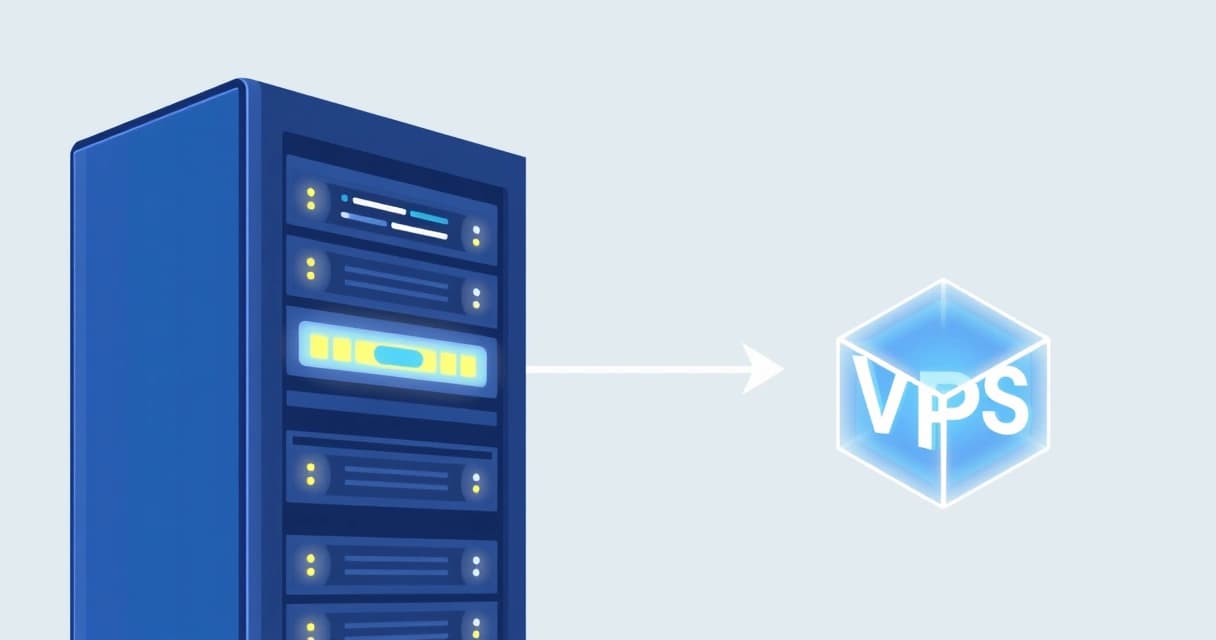
When a website or application consistently experiences performance bottlenecks, resource exhaustion, or requires highly specific hardware configurations and stringent security compliance, it makes sense to switch from a Virtual Private Server (VPS) to a dedicated server. This transition typically occurs when a VPS can no longer provide the necessary CPU, RAM, or I/O throughput to sustain optimal operation for a growing user base or complex workloads, often becoming a consideration after 18-24 months of significant growth on a powerful VPS plan. Dedicated servers offer exclusive access to all physical resources, eliminating the "noisy neighbor" effect common in multi-tenant environments, and providing full control over the hardware and software stack.
Understanding the Core Differences: VPS vs. Dedicated Server
Virtual Private Servers (VPS) provide a virtualized environment on a physical server, where multiple VPS instances share the underlying hardware resources like CPU, RAM, and disk I/O. Each VPS operates as an independent server with its own operating system and root access, offering a significant upgrade over shared hosting. Dedicated servers, in contrast, provide exclusive access to an entire physical machine. This means all the server's CPU cores, RAM modules, storage drives, and network interfaces are solely at your disposal, without any virtualization layer or resource sharing with other tenants.
Resource Allocation and Isolation
A key distinction lies in resource allocation. With a VPS, resources are typically "guaranteed" portions of a larger pool, but the underlying physical hardware still experiences contention. For instance, while a VPS might be allocated 8GB of RAM, intense I/O operations from another VPS on the same physical host could still impact your performance. A dedicated server ensures 100% of the physical machine's resources are dedicated to your applications. This complete isolation translates directly into more predictable performance, which is crucial for latency-sensitive applications or those with sustained high loads.
Control and Customization
Both VPS and dedicated servers offer root access, allowing extensive customization of the operating system and installed software. However, a dedicated server provides an unparalleled level of control over the bare metal hardware itself. You can often choose specific CPU models (e.g., Intel Xeon E-2388G vs. AMD EPYC 7702), exact RAM configurations, storage types (NVMe, SSD, HDD arrays), and even network cards. This granular control is vital for highly specialized workloads, such as machine learning training, high-frequency trading platforms, or custom database configurations that demand specific hardware optimizations.
Performance and Scalability
Performance predictability is a major advantage of dedicated servers. Without the hypervisor overhead or the "noisy neighbor" problem, applications run closer to bare-metal speeds. Scalability differs significantly; scaling a VPS often means upgrading to a larger VPS plan or adding more VPS instances, which can introduce architectural complexity. Scaling a dedicated server might involve upgrading components (if supported by the host), deploying a second dedicated server for load balancing, or leveraging clustered solutions. For workloads needing maximum single-node performance, a dedicated server is the clear winner. You can observe resource consumption on a Linux system using tools like
htop:
$ htop 1 [||||||||||||||||||||||||||||||||||||||||||||||||||| 100.0%] Tasks: 125, 307 thr; 1 running 2 [||||||||||||||||||||||||||||||||||||||||||||||||||| 100.0%] Load average: 24.50 22.15 18.90 3 [||||||||||||||||||||||||||||||||||||||||||||||||||| 100.0%] Uptime: 15 days, 01:23:45 Mem[||||||||||||||||||||||||||||||||||||||||||||||||| 30.5G/64.0G] Swp[|||||||||||||||||||||| 8.00G/16.0G]
This output, particularly high load averages and sustained 100% CPU usage, can indicate a system is hitting its limits. Further details on Linux kernel resource management can be found in the
Linux kernel documentation on the Completely Fair Scheduler (CFS), which manages CPU time for processes.
| Feature | Virtual Private Server (VPS) | Dedicated Server |
|---|
| Resource Isolation | Virtual, shared physical hardware | Complete, exclusive physical hardware |
| Performance Predictability | Good, but subject to "noisy neighbor" | Excellent, consistent performance |
| Customization Level | OS and software, limited hardware | OS, software, and granular hardware choices |
| Cost (Entry-Level as of 2026-04) | Starts at $5 - $30/month | Starts at $60 - $150+/month |
| Management Overhead | Moderate (OS/software) | High (OS/software + hardware maintenance) |
| Ideal Use Case | Growing websites, development, testing, small apps | High-traffic sites, databases, compliance, custom apps |
Key Indicators You've Outgrown Your VPS
Recognizing the signs that your VPS is no longer sufficient is crucial for maintaining application performance and user satisfaction. Ignoring these indicators can lead to degraded service, lost revenue, and a poor user experience. The transition isn't always about absolute resource limits; sometimes it's about the quality and consistency of those resources.
Persistent Performance Degradation
If your website or application consistently loads slowly, experiences frequent timeouts, or struggles during peak traffic periods despite optimizations, your VPS might be struggling. This often manifests as high CPU utilization, excessive memory swaps, or slow database query times. Even after implementing caching solutions, optimizing database queries, and streamlining code, if performance issues persist, it's a strong sign that the underlying infrastructure is the bottleneck. I've personally seen instances where a WordPress site with over 50,000 monthly visits on a $20/month VPS suffered significant slowdowns during comment moderation queues, indicating CPU and I/O limits. For a deeper dive into scaling WordPress, consider reviewing our guide on
VPS Requirements for a 50k Monthly Visit WordPress Site.
Resource Exhaustion and I/O Bottlenecks
Monitoring tools often reveal constant high CPU usage, maxed-out RAM, or slow disk I/O. When
iostat reports high
await times or a high
%util for your disk, it suggests an I/O bottleneck, which is particularly common in virtualized environments where disk resources are shared.
$ iostat -x 1 5avg-cpu: %user %nice %system %iowait %steal %idle 25.10 0.00 15.20 30.50 0.00 29.20Device: rrqm/s wrqm/s r/s w/s rkB/s wkB/s avgrq-sz avgqu-sz await r_await w_await svctm %utilsda 0.00 0.00 100.00 50.00 400.00 200.00 8.00 5.00 50.00 30.00 70.00 10.00 100.00
A
%util near 100% and high
await times on your primary storage device (e.g.,
sda) are critical indicators of disk I/O saturation. This is often exacerbated in VPS environments where multiple virtual machines compete for the same physical disk resources. For further reading on managing storage performance in enterprise Linux environments, the
Red Hat Enterprise Linux documentation on managing storage devices offers valuable insights.
Security and Compliance Requirements
Certain industries, such as healthcare (HIPAA), finance (PCI DSS), or government, impose strict regulatory compliance standards that may be difficult or impossible to meet on a multi-tenant VPS. Dedicated servers offer a clean slate for implementing robust security measures, including physical access controls, custom firewall rules that aren't shared with other users, and the ability to run specific kernel versions or security modules. This level of isolation significantly reduces the attack surface and simplifies audit processes.
Licensing and Software Demands
Some specialized software, databases, or enterprise applications have licensing models that are incompatible with virtualized environments or require specific hardware configurations that a VPS cannot guarantee. Examples include certain high-performance database clusters, GPU-accelerated computing, or proprietary legacy applications. A dedicated server provides the freedom to install any operating system, kernel, or software stack without the limitations imposed by a hypervisor or hosting provider's default images.
When Dedicated Servers Become the Optimal Choice
Dedicated servers are not merely an upgrade; they are a strategic investment for specific types of workloads and organizational needs. Their true value emerges when the limitations of shared resources become a critical impediment to business operations or future growth.
High-Traffic Web Applications and E-commerce
Websites or e-commerce platforms experiencing millions of monthly page views, handling thousands of concurrent users, or processing large volumes of transactions demand consistent, high-performance resources. Dedicated servers provide the raw power and reliable I/O necessary to serve dynamic content quickly, manage complex shopping cart logic, and run caching layers effectively. For high-volume sites, the ability to fine-tune the entire server stack, from the operating system to the web server (e.g., Nginx or Apache) and database (e.g., MySQL or PostgreSQL), makes a significant difference in user experience and conversion rates.
Resource-Intensive Databases and Analytics
Applications with large, actively queried databases, real-time analytics dashboards, or big data processing tasks greatly benefit from dedicated hardware. Database performance is often CPU, RAM, and I/O bound. A dedicated server with high-speed NVMe storage, ample RAM, and multiple CPU cores can dramatically reduce query times and improve data processing throughput. This is especially true for OLAP (Online Analytical Processing) systems or data warehouses where complex joins and aggregations are common. When resource demands exceed typical VPS capabilities, exploring options like
Valebyte's dedicated server offerings becomes a logical next step.
Custom Software and Development Environments
Organizations developing and deploying highly customized applications, particularly those with unique kernel requirements, specific hardware dependencies, or demanding compilation processes, will find dedicated servers ideal. These environments allow developers to control every aspect of the runtime, ensuring compatibility and optimal performance for their bespoke solutions. Additionally, for complex CI/CD pipelines or large-scale testing environments, dedicated servers offer the consistent resources needed to prevent build queues and slow test runs. Configuring kernel parameters is often a part of this optimization:
# Example /etc/sysctl.conf snippet for high-performance networkingnet.core.somaxconn = 65535net.ipv4.tcp_tw_reuse = 1net.ipv4.tcp_fin_timeout = 30net.ipv4.tcp_max_syn_backlog = 65536net.ipv4.ip_local_port_range = 1024 65535# Apply changessysctl -p
This snippet demonstrates how granular kernel-level tuning, available on a dedicated server, can significantly impact network performance for high-load applications.
Strict Data Privacy and Regulatory Compliance
For businesses operating under stringent regulations like GDPR, CCPA, or industry-specific mandates, data privacy and security are paramount.
"Dedicated servers provide the ultimate environment for regulatory compliance, offering unparalleled physical and logical isolation necessary for sensitive data, ensuring that no other entity shares the underlying hardware or network resources."
This complete separation simplifies compliance audits and allows for the implementation of custom security policies without interference from other tenants. Organizations can deploy their own intrusion detection systems, hardware firewalls, and encryption solutions directly on the bare metal, achieving a level of security unattainable in virtualized or shared environments.
Planning Your Migration to a Dedicated Server
Migrating from a VPS to a dedicated server is a critical operation that requires careful planning to minimize downtime and ensure a smooth transition. A well-executed migration ensures data integrity and continuous service for your users.
- Assess Current Resources and Future Needs: Before migrating, thoroughly analyze your current VPS resource usage (CPU, RAM, disk I/O, network bandwidth) and project future growth. This helps you select a dedicated server with appropriate specifications. Consider the operating system, storage type (SSD vs. NVMe), and CPU architecture that best fits your application's requirements.
- Choose Your Dedicated Server and Provider: Research dedicated server providers, comparing hardware specifications, network uptime guarantees (SLA), location, and support options. Decide if a managed or unmanaged dedicated server better suits your team's technical expertise and budget. For those still evaluating VPS options before making the leap, a managed VPS provider like Valebyte can offer a powerful intermediate solution.
- Prepare the New Dedicated Server: Install your chosen operating system, configure security settings (firewall, SSH hardening), and install necessary software dependencies (web server like Nginx 1.27, database like PostgreSQL 16.2, PHP 8.3, Docker 26.0.0). Ensure all services are configured to start automatically and listen on the correct ports. Review our Ubuntu 24.04 VPS Hardening Checklist for Initial Server Setup for guidance on initial server security.
- Synchronize Data: Use tools like
rsync to copy all your application files, databases, and configurations from the VPS to the new dedicated server. Perform an initial full sync, then set up incremental syncs to capture changes leading up to the final cutover.# Initial full sync (example)rsync -avz --exclude 'cache/*' /var/www/your_app/ user@new_server_ip:/var/www/your_app/# For databases, dump and restore:mysqldump -u root -p your_database > your_database_backup.sql# On new server:mysql -u root -p your_database < your_database_backup.sql
For large databases, consider using tools like mysqldump with --single-transaction for minimal locking or physical backups if your database supports it. - Test Thoroughly: Before updating DNS, modify your local hosts file to point your domain to the new dedicated server's IP address. This allows you to perform extensive testing of your application, website, and all services in the new environment without affecting live users.
- Update DNS Records: Once testing is complete and satisfactory, update your domain's A records to point to the new dedicated server's IP address. Set a low TTL (Time To Live) beforehand (e.g., 300 seconds) to minimize propagation time and potential downtime during the switch. For detailed strategies on seamless transitions, refer to our guide on How to Migrate a VPS with Zero Downtime: A Comprehensive Guide.
- Monitor and Decommission: After the DNS update, actively monitor your new dedicated server for performance, errors, and traffic. Keep the old VPS running for a few days as a rollback option, then decommission it once you're confident the migration is stable.
For critical web services, fine-tuning web server configurations like Nginx is essential on the new server. The official Nginx documentation provides comprehensive guides for optimal setup.
Cost Implications and Total Cost of Ownership (TCO)
The decision to switch to a dedicated server often involves a higher upfront and ongoing financial commitment compared to VPS hosting. However, the Total Cost of Ownership (TCO) extends beyond the monthly subscription fee, encompassing operational expenses, potential savings from improved performance, and reduced downtime.
Upfront vs. Ongoing Costs
Entry-level dedicated servers, as of 2026-04, typically start from $60-$150 per month, significantly higher than a $5-$30/month VPS. This initial cost covers the exclusive use of high-performance hardware. Beyond the base fee, consider costs for additional IP addresses, backup solutions, control panel licenses (e.g., cPanel, Plesk), and any premium support options. While a dedicated server has a higher price tag, the performance gains can translate into operational efficiencies, such as faster processing times for business logic, which can indirectly reduce costs in other areas or increase revenue.
Managed vs. Unmanaged Services
Dedicated servers are available in both unmanaged and managed flavors. An unmanaged dedicated server requires you to handle all aspects of server administration, including OS installation, security patching, software updates, monitoring, and troubleshooting. This demands significant technical expertise and time from your team, which represents a hidden cost. A managed dedicated server, on the other hand, offloads many of these responsibilities to the hosting provider, often including proactive monitoring, security hardening, and technical support. While managed plans come with a higher monthly fee, they can drastically reduce the operational burden and allow your team to focus on core business activities, making them a cost-effective choice for businesses without dedicated IT staff.
Making the Final Decision
Deciding when to switch from a VPS to a dedicated server isn't a simple choice; it's a strategic business decision driven by current performance limitations, future growth projections, and specific application requirements. If your applications are consistently hitting resource ceilings, experiencing unpredictable performance, or if your organization faces strict compliance mandates, a dedicated server offers the necessary power, isolation, and control. Evaluate your operational overhead, technical expertise, and long-term budget to determine if the increased investment in dedicated hardware aligns with your business goals and delivers a justifiable return. The move to dedicated infrastructure should be viewed as an enabler for scaling, stability, and enhanced security for your most critical online assets.